
Key Takeaways
- Time tracking apps promote transparency, accountability, and smoother collaboration for teams when thoughtfully implemented.
- Successful adoption hinges on trust, clear communication, and adapting to unique team needs and environments.
This case study examines how digital time tracking apps influence accountability and communication, exploring practical steps, challenges, and lessons that can help you determine whether time tracking is right for your team.
What Are Time Tracking Apps?
Common Features and Functionality
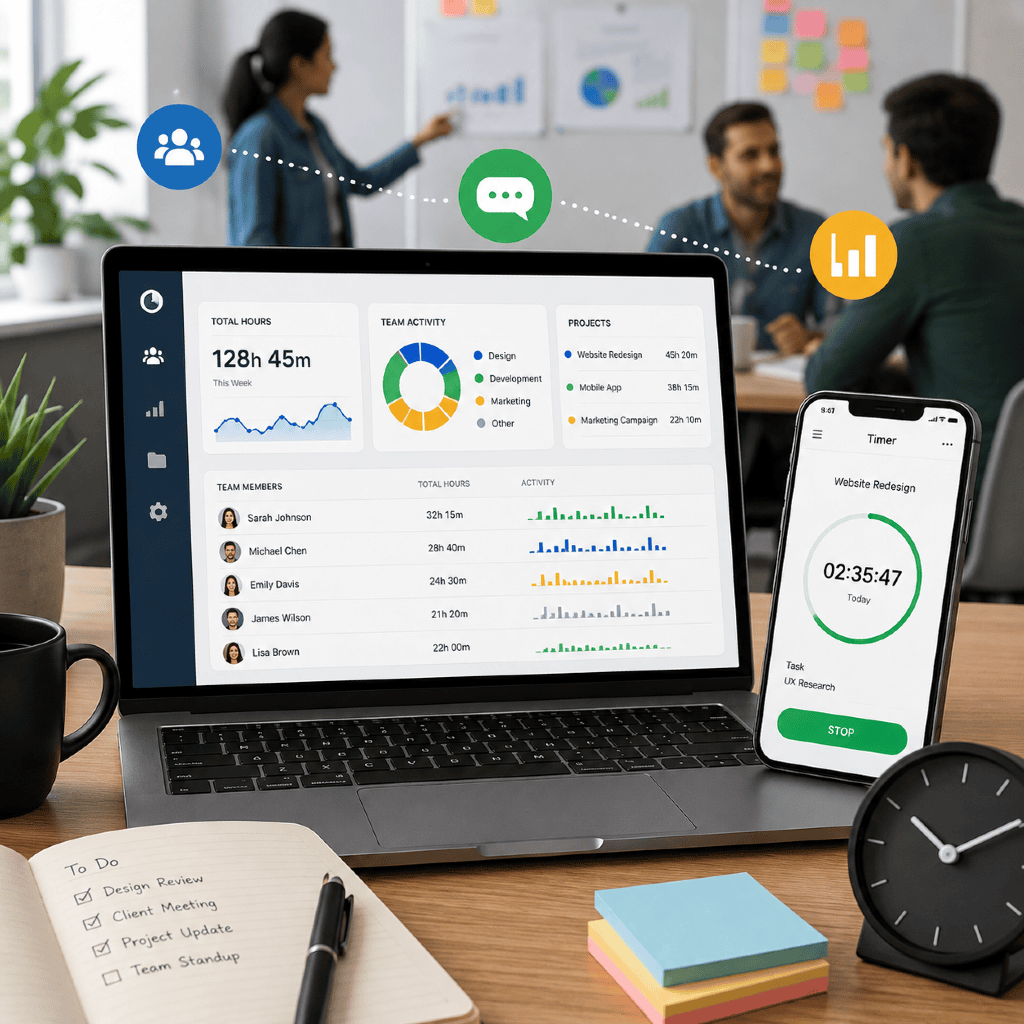
Time tracking apps are digital tools designed to record, organize, and visualize the hours your team spends on tasks and projects. Core features typically include:
- Task or project-based time logging
- Automatic timers and manual entry options
- Reporting dashboards with breakdowns by person, project, or category
- Integration with project management and communication platforms (e.g., Slack, Asana)
- Optional alerts for overtime or budget thresholds
Modern apps often support web and mobile interfaces, making it easy to capture work across different devices or locations. Many offer simple exports or integrations, so you can compile timesheets or monitor resource allocation without duplicating work elsewhere.
Typical Use Cases in Team Settings
In team environments, time tracking serves multiple purposes. You might use these apps to:
- Identify bottlenecks in shared workflows
- Track contributions to collaborative projects
- Communicate status or capacity quickly across groups
- Ensure fair distribution of work or project resources
- Benchmark productivity trends over weeks or quarters
While some teams begin tracking to meet client requirements, others pursue improved workflow visibility or streamlined billing.
How Do Time Trackers Build Accountability?
Transparent Workflows and Visibility
Time trackers give everyone on your team access to a transparent record of how work time is allocated. With clear visibility, it becomes easier to:
- Spot imbalances in workload
- Pinpoint where delays originate
- Ensure expectations match actual contributions
This openness helps reduce finger-pointing or confusion about who did what and when, improving overall trust in recorded data.
Encouraging Responsibility in Teams
Consistent logging reinforces the notion that each person is responsible for their portion of the project. When everyone participates, accountability becomes part of team culture—not just a management tool. Setting shared norms around time registration and periodic reviews can nudge the team toward a more proactive approach to commitments and deadlines.
Can Time Tracking Improve Communication?
Facilitating Collaboration Across Teams
Digital time tracking supports collaboration by making each member’s workload and progress visible in real time. You can quickly see who has capacity for new assignments or who may need help—a foundation for cross-functional assistance and better resource allocation.
Project managers, for instance, can use activity summaries to plan sprints, coordinate workflows, or address emerging issues early, before delays escalate.
Streamlining Status Updates
Status meetings and lengthy email summaries become less necessary when app dashboards provide at-a-glance updates. With everyone’s current progress visible, your team can:
- Share concise project overviews
- Identify roadblocks immediately
- Focus meetings on decision-making rather than basic progress reports
This not only saves time but also promotes a more agile, informed decision-making culture.
Challenges When Adopting Time Tracking Apps
Addressing Privacy and Trust Concerns
One common concern is the potential for time trackers to feel intrusive—or to be perceived as “digital micromanagement.” Addressing this starts with transparent communication. When introducing time tracking, it’s vital to:
- Clarify the purpose (insight, not surveillance)
- Share what data is collected and who can access it
- Allow room for feedback and adjustment
Building trust requires ongoing dialogue and clear boundaries about what data is used for.
Adapting to Different Work Environments
Not every workflow or team rhythm fits cleanly into app-based time tracking. For example, creative or project-based teams may find micro-tracking distracting, while some remote teams value flexibility over granular data. Adapting the app setup to respect different roles, schedules, and work styles—such as setting only critical categories or flexible check-ins—can help smooth the transition.
Real-World Example: A Team Implementation
Project Background and Context
Consider a midsize marketing agency that launched a large client campaign in early 2025. The team included project managers, designers, copywriters, and client liaisons—working both in-office and remotely.
Leadership noticed inefficiencies in project handoffs, uneven task distribution, and ongoing miscommunications about deadlines. The agency decided to pilot a time tracking app to boost accountability and streamline communication across functions.
Steps Taken During App Rollout
The rollout followed these key steps:
- Stakeholder Alignment: Leadership began by discussing the app’s purpose—better project visibility, fairer work allocation, and faster issue resolution.
- Pilot Phase: A small sub-team tested the app for one project cycle, documenting challenges and collecting feedback.
- Clear Guidelines: The agency set clear expectations on what to log, data privacy, and how the tool would support performance reviews (without punitive measures).
- Training and Feedback: All team members received onboarding sessions and had opportunities to raise concerns or ask questions during the first month.
What Changed After Implementation?
Shifts in Team Dynamics
After the agency-wide rollout, feedback indicated:
- Improved clarity around task handoffs and priorities
- Increased willingness to check in or ask for help (especially from remote team members)
- More focused project meetings, with time data providing a neutral reference point for discussions
Reported Benefits and Drawbacks
Benefits included faster status updates, fewer missed deadlines, and higher satisfaction among project leads regarding workload balance. Some team members reported initial resistance or “app fatigue,” but most adapted as the process was refined and workloads became more predictable.
Are Time Tracking Apps Right for Every Team?
Factors to Consider Before Implementation
Key considerations for your team should include:
- The nature of your work (creative tasks may need different granularity levels)
- The size and distribution of your team
- Organizational trust and culture
- How insights from time tracking will be shared and used
Addressing these factors in advance helps set realistic expectations and gain team buy-in.
Alternatives and Complementary Approaches
If time tracking doesn’t fit your team, consider alternatives like:
- Weekly check-ins using simple progress boards
- Automated project dashboards that highlight milestones
- OKR (Objectives and Key Results) frameworks for high-level progress
You can also blend these approaches for greater flexibility—adopting time tracking for high-priority projects or specific phases only.
Lessons Learned and Practical Takeaways
Key Strategies for Successful Adoption
You’ll find the most success by:
- Securing input from all stakeholders before making the change
- Setting clear, practical guidelines tailored to your workflow
- Providing ongoing support, training, and feedback loops
- Framing tracking as a tool for insight, not surveillance
Fostering Ongoing Accountability
Remember, consistent and fair use of time tracking tools builds lasting accountability. Encouraging team-led check-ins, periodically revisiting expectations, and publicly celebrating collaborative wins help time tracking become ingrained in your team culture.