
Key Takeaways
- Strong camera etiquette projects professionalism and fosters positive virtual interactions.
- Balancing camera use, communication skills, and team well-being leads to effective video calls.
Video calls remain a core part of professional life in 2026. Mastering camera etiquette can influence how colleagues, clients, and partners perceive you. This guide will help you navigate new standards and build a polished, confident presence in every virtual meeting.
What Is Camera Etiquette?
Basic definition and context in 2026
Camera etiquette refers to the unwritten guidelines and expectations for how you present yourself, your space, and your communication style when visible on video calls. In 2026, as remote and hybrid work are more common than ever, these expectations have become a fundamental aspect of professional interactions—shaping first impressions and ongoing working relationships.
Why etiquette matters in virtual meetings
Professional camera etiquette sets the tone for trust, clarity, and collaboration. When you appear attentive and purposeful on camera, it’s easier for others to focus on the conversation and perceive your input as credible. Adhering to camera etiquette also demonstrates respect for the time and energy of everyone involved.
How Has Video Call Etiquette Evolved?
Changes in norms since 2020
Video call etiquette has significantly evolved since the early 2020s, when many professionals learned video conferencing on the fly. Initially, norms were relaxed (pets and distractions were common). Over time, as remote interactions became routine, standards shifted. In 2026, participants are generally expected to approach video calls with the same level of professionalism as in-person meetings.
New expectations for remote professionalism
Today, organizations and teams look for signals of engagement and reliability. This includes maintaining eye contact, minimizing background distractions, and communicating clearly. With the increase in global collaboration, sensitivity to time zones, cultural decorum, and accessibility needs has also entered the etiquette conversation. Overall, professionalism is now expected—even when working from home.
How Should You Prepare Your Camera Setup?
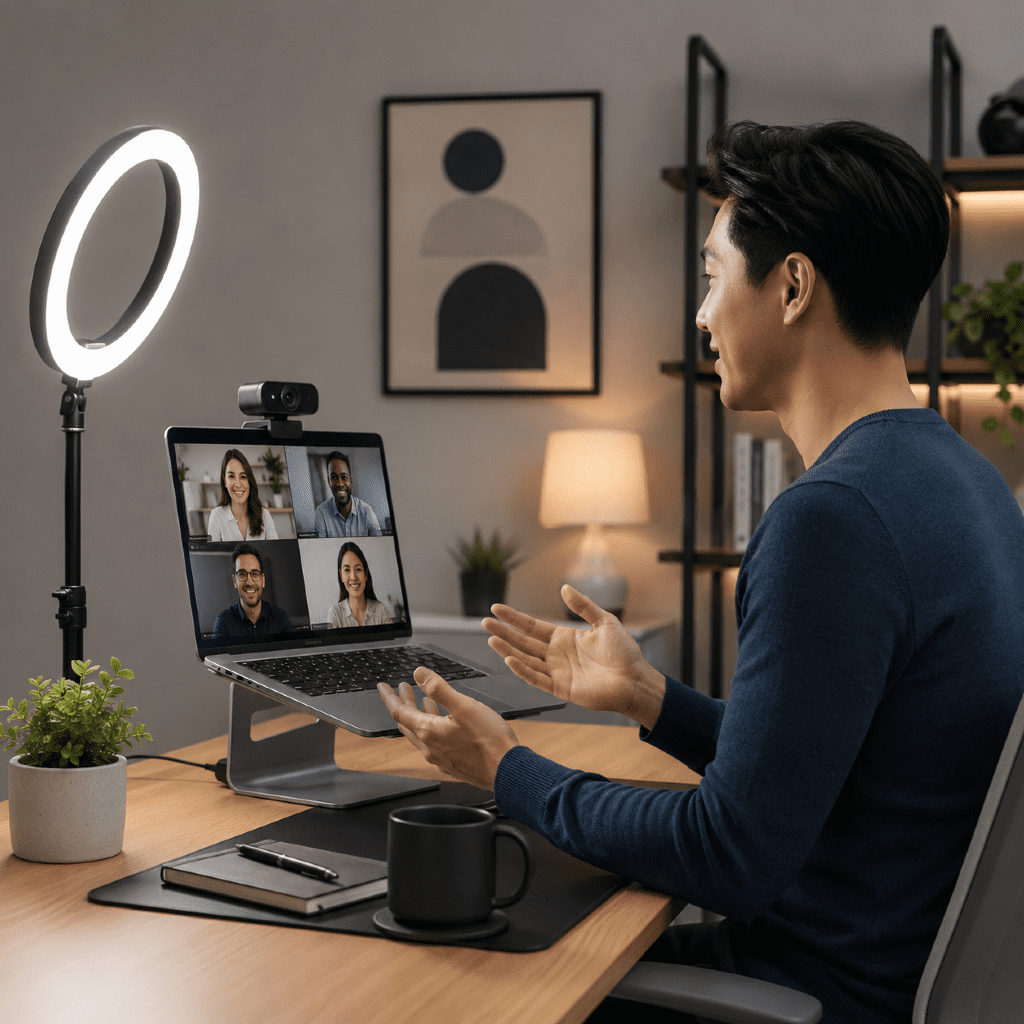
Lighting, angles, and background tips
Proper camera setup affects how well others can see and engage with you. Here’s what to prioritize:
- Lighting: Sit facing a natural light source or use a soft, diffused desk lamp. Avoid strong backlighting or harsh overhead lights, which can cast shadows.
- Camera Angle: Position your camera at eye level—using a stand or stacking books if needed. This ensures a more natural, engaging appearance.
- Background: Opt for a tidy, uncluttered backdrop. Neutral walls, shelves, or tasteful decor help keep the focus on you. Virtual backgrounds are acceptable if they’re non-distracting and appropriate for your audience.
Checking equipment in advance
Before each call, quickly test your camera and audio. Confirm you have a stable internet connection, that there’s no glare or blur, and that your microphone is clear. Making this quick check part of your routine prevents technical snags from disrupting meetings.
What Should You Wear on Video Calls?
Balancing comfort and professionalism
In 2026, you’re not expected to wear traditional business attire for every virtual meeting, but your clothes still communicate professionalism. Opt for neat, comfortable, and well-fitting attire in solid or muted colors (which display better on camera). Avoid logos or distracting prints, and remember that even casual meetings benefit from a “step up” compared to home lounge wear.
Considerations for different audiences
Dress expectations can change depending on who you’re meeting with. For internal team calls, a more relaxed look may be fine, while external or client-facing meetings may require a sharper appearance. When working with global colleagues, be sensitive to cultural norms related to attire. If you’re unsure, err on the side of slightly more formal.
Best Practices for On-Camera Communication
Maintaining eye contact and body language
Strong virtual presence depends on nonverbal cues. Look at the camera—not the screen—when speaking, to mimic eye contact. Sit up straight, nod in acknowledgment, and use hand gestures when appropriate. These actions signal engagement and attentiveness, even from afar.
Minimizing distractions and interruptions
Mute notifications on your devices and close unrelated applications before joining a call. Let those at home know you’ll be on camera, and use “Do Not Disturb” signs if possible. When unexpected interruptions arise, acknowledge them calmly and return your focus to the meeting. Keeping side conversations and multitasking to a minimum shows respect for the group’s time.
How Can Teams Address Camera Fatigue?
Recognizing and discussing burnout
As video calls become even more frequent, “camera fatigue” has become a recognized challenge. Signs include feeling drained after meetings, difficulty focusing, or reluctance to turn on the camera. Open conversations about these issues help normalize experiences and allow teams to adapt.
Offering flexibility and camera-optional times
To support well-being, teams can offer camera-optional meetings, especially for one-on-one check-ins or routine updates. Encourage periodic breaks from continuous screen time, and allow individuals to signal when they need to step away from video for personal reasons. Flexibility fosters long-term engagement and trust.
Is Camera-On Always Required in 2026?
Situational best practices
“Camera-on” is not a universal rule in 2026. For high-stakes meetings, introductions, and small-group collaboration, being on camera helps build rapport and clarity. In larger meetings, webinars, or recordings, cameras may be optional to reduce strain and bandwidth issues.
Respecting accessibility and personal preference
Respect individuals who may face accessibility barriers, sensory sensitivities, or home-life constraints. If you’re leading a meeting, clarify camera preferences in advance and create space for participants to opt out without negative consequences. Prioritizing inclusion ultimately produces more productive and respectful interactions.